
New Release!Instant Delivery Available!
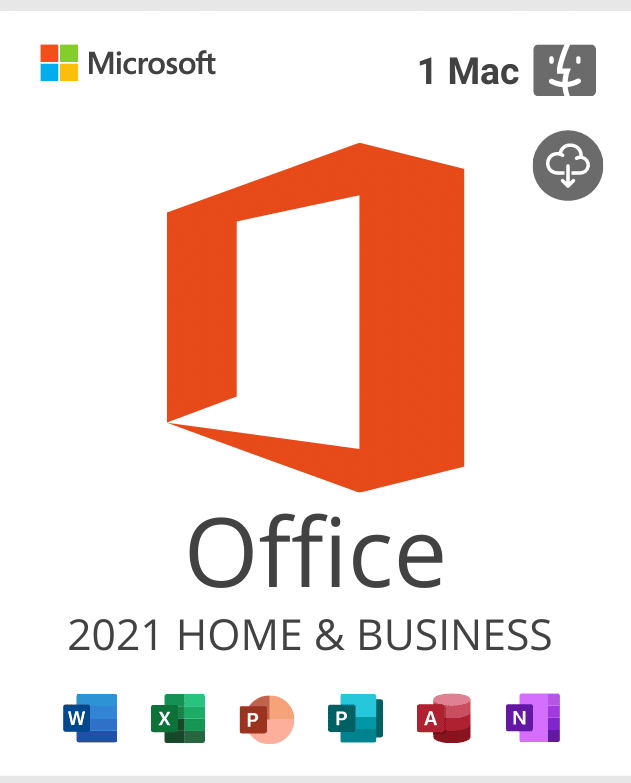
Office 2021 Home and Business Activation key For MAC
By purchasing Office 2021 home and business for mac you will receive an Original Microsoft license that can be activated directly on the official Microsoft website. Transferable License This type of office home and business 2021 for mac license is connected to your Microsoft account. It can be easily re-installed into another Device when needed, without buying a new license. IMPORTANT: You will receive a redeem code that generates a license through your Microsoft account. Once this code is redeemed, a license key (different from the one you received from us) will be assigned to your account for the activation of the product. The license key can be found in the Services and Subscriptions section of your Microsoft Dashboard. Product Details Brand: Microsoft One-time purchase for 1 Mac• Classic 2021 versions of Word, Excel, PowerPoint, and Outlook• Compatible with macOS*• Works with Microsoft Teams Language: EU Multilingual (it is possible to change language settings after installation; additional language packs are also available to be downloaded and installed separately) Includes: Outlook, Word, Excel, PowerPoint, OneNote. Office Home And Business 2021 For Mac: Description & Applications Microsoft Office Home and Business 2021 provides classic Office apps and email for families and small businesses who want to install them on one Mac for use at home or work. Classic versions of Office apps include Word, Excel, PowerPoint, and Outlook. ‣ Microsoft Word 2021 Create, edit and manage professional text documents in Word 2021. With new tools for translating, easier reading and more natural writing, you can improve your ability to communicate and absorb information. New integration of SVG, support for LaTeX syntax, Microsoft Translator, Learning Tools enhance your productivity. Documents are now easier to find and more convenient to navigate with book-like flipping features and Side to Side view. ‣ Microsoft Excel 2021 Create and manage tables and engage in more powerful data analysis with Excel 2021. In this version, Excel offers tables of all kinds from accounting and product databases. Among other things, new impressive features and functions, such as formulas, map and funnel charts, enhanced visuals, publishing to Power BI, new themes, precision selecting and more provides you with new methods to display data in an appealing way. Moreover, enhanced visuals, ink improvements, easier sharing and better accessibility features allow you to save time while enjoying familiar work flow. ‣ Microsoft PowerPoint 2021 Create more sophisticated and visually appealing to capture your audience’s attention with PowerPoint 2021. The newest version of well-known tool comes improved visual effects, such as Morph Transition, Text Highlighter, Zoom capabilities. It also allows you to make your presentations more dynamic with 3-D models, background removal, export to 4K, Ultra-HD recording features and more. ‣ Microsoft OneNote Your personal digital notebook, OneNote allows you to type, write or draw notes and insert imaged, audio or video clips from the web. OneNote is available online and syncs up with your other devices. Allowing you to access, update or create new notes from where ever you are. ‣ Microsoft Outlook 2021 Send, receive and manage your emails in more efficient manner with Outlook 2021. Outlook grants you access to all stored contacts and e-mail addresses providing you with an ability to keep information about partners and customers up-to-date. Moreover, improved app gives you more possibilities with updated contact cards, @mentions, Focused Inbox, Travel Package cards and more. To minimize your workload even more you can schedule meetings in different time zones, listen to your emails, automatically download cloud attachments and set reminders to pop-up over the windows you are working in. Office home and business 2021 for mac Features ► Look left, look right… XLOOKUP is here! Row by row, find anything you need in a table or range with XLOOKUP. New in: LEARN MORE ►Dynamic arrays. Write one formula and return an array of values. Expedite calculations and insights with six more new functions: FILTER, SORT, SORTBY, UNIQUE, SEQUENCE, and RANDARRAY. New in: LEARN MORE ► LET function The LET function assigns names to calculation results. This allows storing intermediate calculations, values, or defining names inside a formula. New in: LEARN MORE ► XMATCH function The XMATCH function searches for a specified item in an array or range of cells, and then returns the item’s relative position. You can also use XMATCH to return a value in an array. New in: LEARN MORE ► Watch your formulas Watch cells across multiple sheets and books in a single pane or window. The Watch Window makes it convenient to inspect, audit, or confirm formula calculations and results in large worksheets. New in: LEARN MORE ► Immersive Reader advanced color support In Immersive Reader, we’ve added many additional ways you can choose a page color. Selecting a page color can make text easy to scan with less eye strain. On the Immersive Reader tab click Page Color to see a 4×5 color picker. Click More Colors to see additional color selection options such as Wheel, Sliders, Color Palettes, Image Palettes, and Pencils. New in: LEARN MORE ► Visual refresh Work with a modernized Start experience and newly refreshed tabs in the ribbon. Experience a clean, clear style with monoline iconography that communicates action and features with simple visuals. New in: Are you a reseller? If you’re a reseller, mail us at [email protected] and we’ll send you a tailor-made price list. Let’s work together! For the safety of your device we always recommend the installation of an Antivirus, you can choose your Antivirus by clicking here. Become Affiliate Earn commissions by promoting our digital products! Join our affiliate program, get a unique tracking link, and start monetizing your platform. Sign up today and offer valuable products to your audience. Visit our affiliate program page Click here for more Features >> If you have any further inquiries please do not hesitate to contact us! Find more Products in All Good Keys Windows Operating Systems: Windows 11 – Windows 10 – Windows 8 Microsoft Office Suites: Office 2021 – Office 2019 – Microsoft Office 2016 – Office for Mac Antivirus: Kaspersky – ESET – Avast – AVG
About Digital Books (eBooks)
Format: Our digital books (eBooks) are viewable in our free reader apps, available for iOS and Android devices, as well as our web browser-based book reader (no app required). We offer books in this format in order to provide enhanced audio and video integration, not available in standard pdf formats. Our digital books are not delivered as pdf files and are not printable. They are intended as 100% digital products without a physical component.
Printing: Printing is not available for our digital books, which are designed as digital-only products. While many of our digital books have identical print edition versions available, many are available in digital-only format.
Audio: For digital books that feature audio, you simply tap a given stave of notation and audio playback will begin. We also provide stand-alone audio files for you to download, for increased flexibility (available only for digital books purchased directly from fleksproductions.nl. Not available for digital books purchased using in-app purchase).
Video: For digital books that feature video, you will be able to view them directly within the digital book. We do not provide stand-alone video files for download at this time.
Internet Connection: To access your digital book and to access audio or video within digital books, your device will need to be connected to the internet. Media is streamed into the books in realtime, to help keep our downloads small and fast, and reduce the amount of storage space used on your device. An active internet connection is required to access and view digital books.
Refunds: We are not able to issue refunds for digital purchases, including digital books and instant video. Please click here to contact us if you are having an issue with your purchase and we will work to resolve.
More Questions? Click here to visit our Support Page to view more questions and answers, or to ask a question of your own.
Related products
-
 $ 0.26 Select options This product has multiple variants. The options may be chosen on the product page
 -
$ 2.11 Select options This product has multiple variants. The options may be chosen on the product page
-
$ 0.92 Select options This product has multiple variants. The options may be chosen on the product page
-
$ 0.53 Select options This product has multiple variants. The options may be chosen on the product page